Kal's Augmented Loadouts
See their loadoutbefore you attack.
When a KAL user starts an attack, the script uploads the weapons and armor Torn reveals. KAL verifies that capture, then shows it when another user opens the player's attack or profile page. On this website, you can view players' or factions' loadouts and loadout history, browse a catalog of items, and soon more..
The archive and catalog require sign-in. A Public Only Torn API key is enough.
Script views
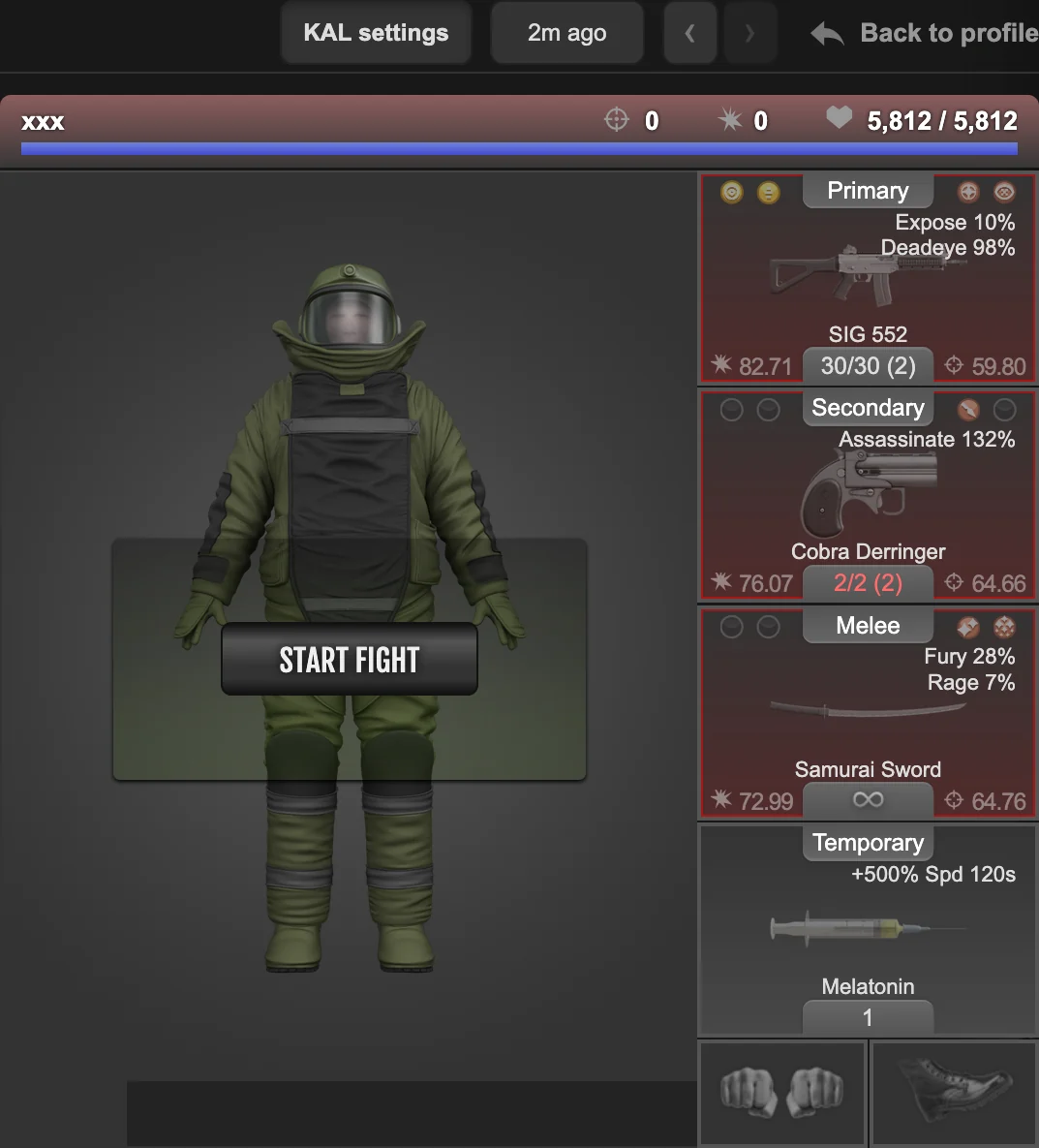
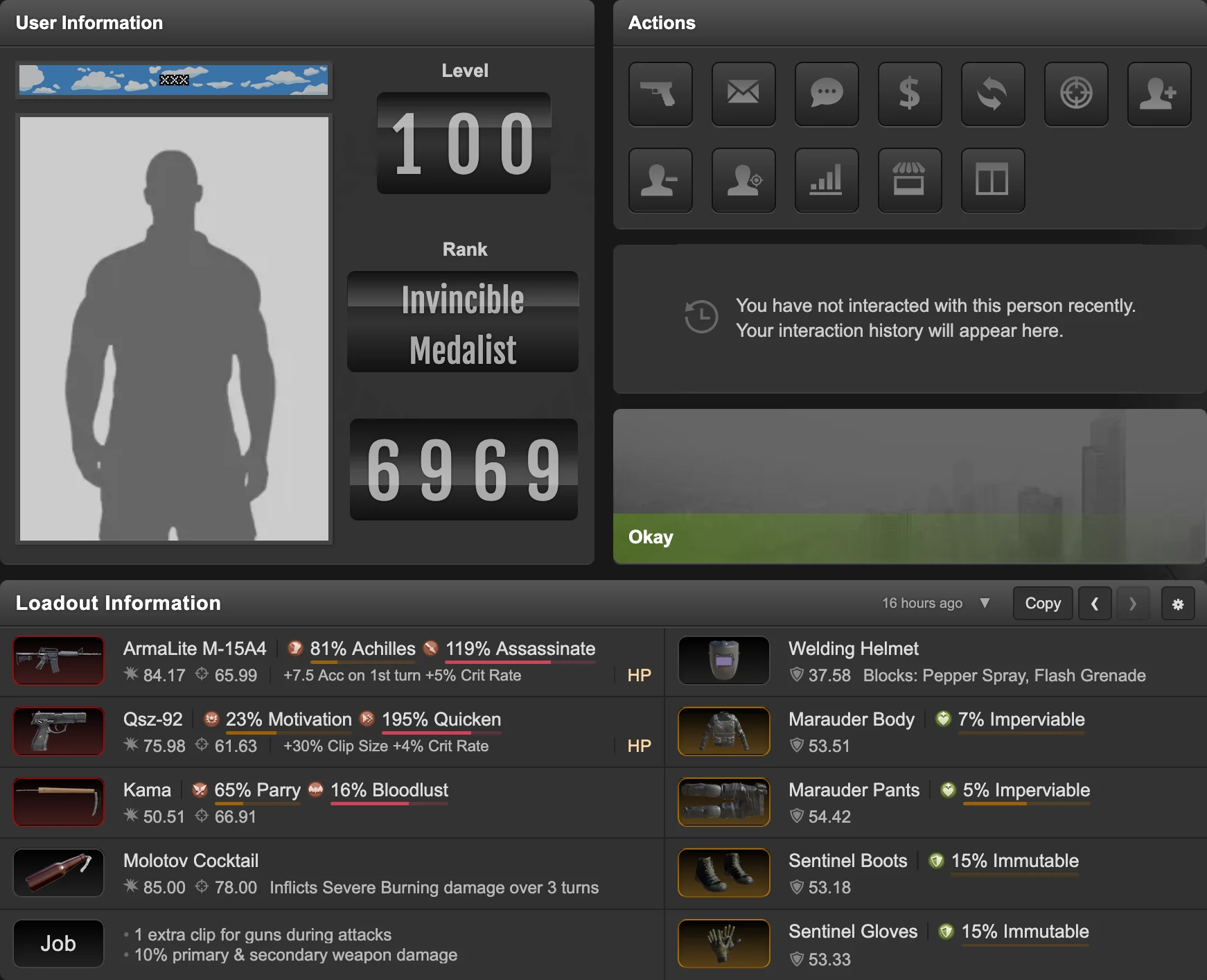
Loadout archive
A shared database of loadouts.
Search a player or faction and see their saved loadouts.
- The latest saved loadout at a glance
- Previous and next captures for the same player
- Capture dates, item details, and recorded ammo
- Player links for opening or sharing a saved view

Item catalog
Find your dream weapon, or the weapon of your mugger.
Search weapons and armor seen in loadouts, completed auction-house sales, or both. Filter by the details that matter, then open the recorded history behind an item.
- Search bonuses in either order
- Exact stats and full effect descriptions
- Completed auction prices and participants
- Loadout and auction sources side by side
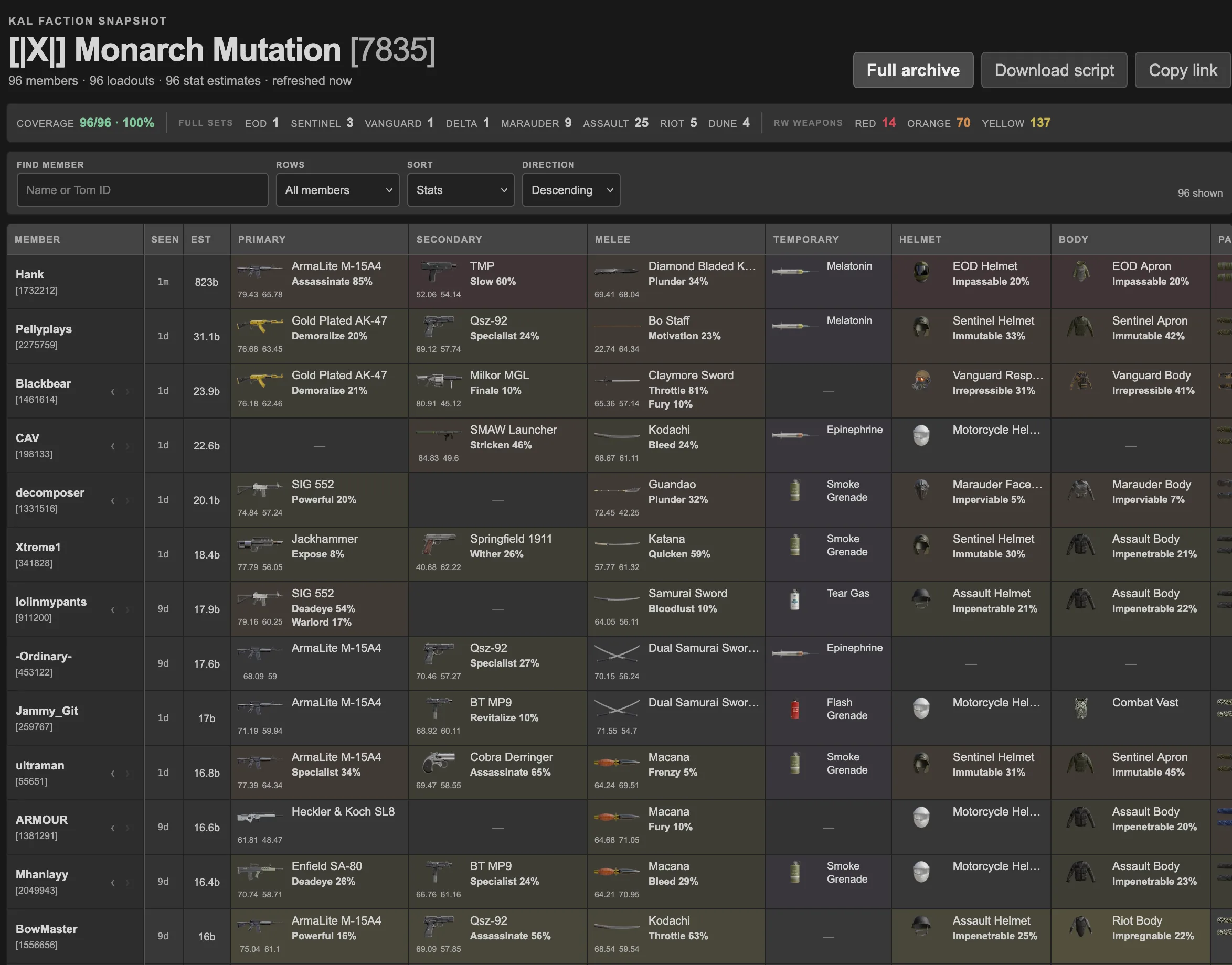
Faction loadout view
view a whole faction's loadouts at once.
See each member's latest saved equipment in one roster, sort the coverage you have, and move through saved history without leaving the scan.
Temporary advertisement
24% Warlord · 26% Penetrate · Sig 552
please buy my gun, too busy making this site/script to advertise my gun elsewhere, but I wanna revive again.
Open to offers 5.2b+, 6b buyoutSend me a message: Kalends [2032147]
